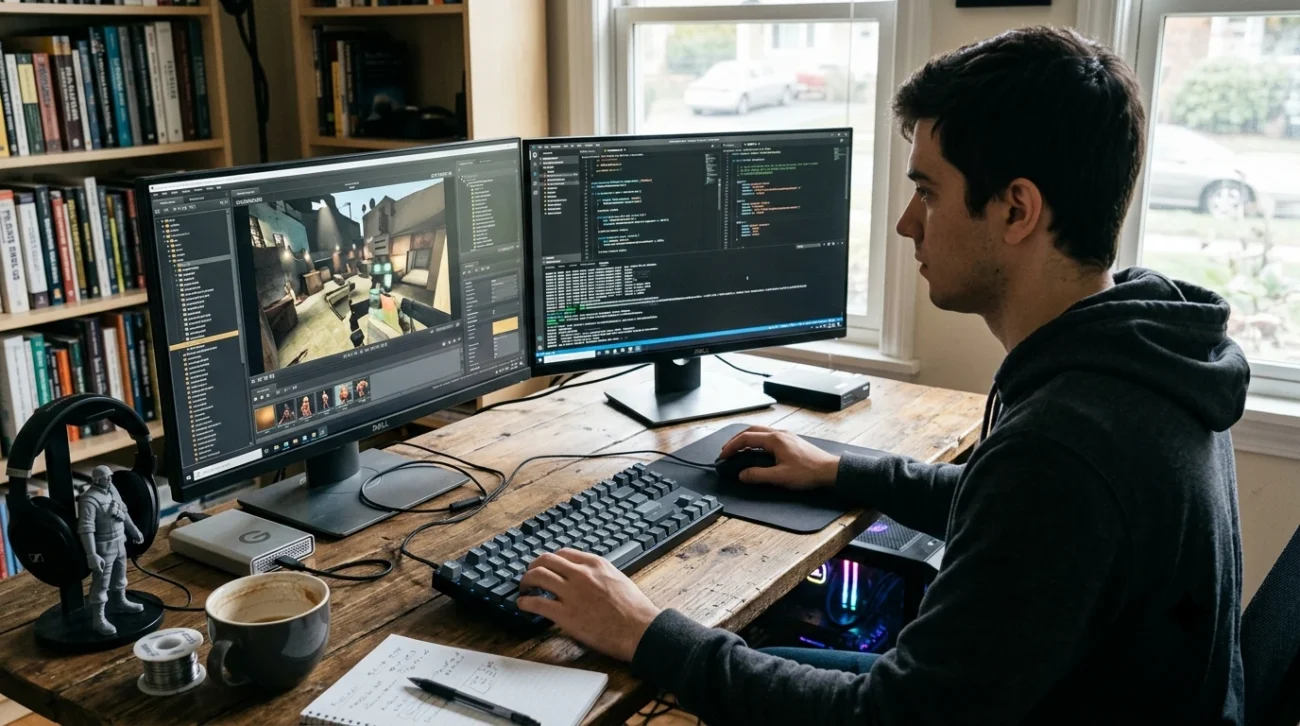
“SFM compile” usually refers to the process of converting models, textures, animations, or maps into formats that Source Filmmaker can read. It isn’t the name of one official Valve program. Instead, it describes a group of tasks handled by tools such as StudioMDL, Crowbar, Hammer, VBSP, VVIS, VRAD, VTEX, and model viewers.
Most people search for the term after running into a practical problem. A model looks correct in Blender but won’t appear in Source Filmmaker. A map opens with broken lighting. A character loads with purple-and-black materials. In each case, the missing step is often not animation or modeling, but a failed or incomplete compile pipeline.
The key idea is simple: Source Filmmaker cannot use most raw project files directly. It expects assets prepared for the Source engine, placed in the right folders, and built with the correct version of Valve’s tools. Once that system makes sense, many errors that seem random become easier to diagnose.
What SFM compile means
Source Filmmaker, commonly called SFM, is Valve’s animation and filmmaking program built on the original Source engine. Valve released it publicly on Steam on July 10, 2012, and it remains available as a free public beta. The software includes tools for posing models, animating characters, placing lights and cameras, recording gameplay, editing shots, and exporting finished movies or still images.
Compilation sits between asset creation and use inside SFM. A Blender scene, a texture image, or a Hammer map project is not automatically ready for the engine. The asset must be translated into Source-compatible files that the engine can load at runtime.
The term is used in three different ways. The most common meaning is model compilation, where geometry, skeletons, animations, physics data, and model instructions are converted into an MDL package. It can also mean map compilation, where a Hammer project becomes a playable BSP. Some users use “compile” casually when they mean rendering or exporting a finished SFM movie, but Valve’s own terminology treats export as a separate process.
That distinction matters because each task uses different tools. StudioMDL compiles models. Hammer’s build tools compile maps. Source Filmmaker itself exports frames, movies, audio, and still images. Using the wrong term can lead readers toward the wrong fix.
How model compilation works
A Source model is not usually a single file. The MDL file acts as the main model index, but the final asset may also depend on companion files containing vertex, mesh, animation, and physics information. Common extensions include VVD, VTX, PHY, and sometimes ANI.
The compile begins with source data exported from a 3D application. Blender is now the most common entry point for independent creators because it is free and supports Source-oriented export through Blender Source Tools. Maya and older software can also be used, but the logic remains the same: the artist prepares the asset, exports intermediate files, writes build instructions, and sends those files to StudioMDL.
Preparing the source model
Compilation cannot fix an asset that was prepared incorrectly. Before export, the model should have a sensible scale, clean geometry, correct normals, stable UV mapping, and clear material assignments. The origin and orientation should also match how the asset will be used inside SFM.
Static props are usually the easiest place to start. A simple object may need only one visible mesh, one material setup, and a basic idle sequence. Characters require more care because the skeleton, vertex weights, animation files, flexes, attachments, and body groups all need to agree.
Bone structure is a common source of trouble. The deforming mesh must use the same skeleton as the exported animation data. If bones are renamed, reordered, removed, or exported with different transforms, the compiler may still produce a model, but the result can twist, collapse, or animate incorrectly.
Creators should also remove unnecessary objects before export. Hidden meshes, duplicate armatures, control rigs that were never meant for the engine, and unused materials can add confusion. A smaller, cleaner source file is easier to test and repair.
Exporting SMD or DMX files
Source 1 workflows usually rely on SMD or DMX as intermediate formats. SMD is older and simpler, which makes it easier to inspect when something goes wrong. DMX can carry more information, but compatibility depends on the exporter and the target Source branch.
A static model may use one reference mesh file. A character can require a reference mesh, several animation files, collision geometry, and facial data. The exact mix depends on what the model is supposed to do inside SFM.
File organization matters more than many beginners expect. StudioMDL needs to find every file named in the QC script. Keeping the QC, mesh exports, animation exports, and collision source in one project directory reduces path errors and makes the build easier to move or archive.
The exported material names must also be stable. If the mesh refers to a material called `lamp_body`, Source will later look for a VMT file with that name. Changing the name in Blender without updating the material files can produce a successful compile with broken textures.
Writing the QC file
The QC file is the instruction sheet for StudioMDL. It tells the compiler what to build, where the final model should be placed, which source meshes to use, where the materials are stored, and which animations or special features belong to the asset.
A basic QC for a static prop might include commands such as `$modelname`, `$body`, `$staticprop`, `$surfaceprop`, `$cdmaterials`, and `$sequence`. More complex models may also define collision data, attachments, hitboxes, body groups, skin families, flexes, eye settings, and included QCI files.
The safest method is to start with the smallest working QC possible. Compile one mesh with one material and one idle sequence. Once that version loads correctly, add collision, extra skins, body groups, or facial controls one feature at a time.
Copying a large QC from an unrelated model often creates more work. The script may refer to bones, materials, animations, or engine features that don’t exist in the new asset. StudioMDL then reports errors that appear unrelated because the copied file was built around different assumptions.
Running StudioMDL
StudioMDL is Valve’s Source model compiler. It can be called from the command line, but many creators use Crowbar as a graphical front end. Crowbar helps manage game configurations, QC selection, compile options, logs, decompilation, and model inspection.
Crowbar does not replace StudioMDL. It sends the source files and QC instructions to the selected compiler and presents the output in a more manageable form. This is useful because StudioMDL logs can be dense, and the first real error is often buried above several secondary warnings.
The selected game configuration must match the target. A model compiled against the wrong Source branch may fail to load, crash SFM, or behave in unexpected ways. The fact that two games use Source does not mean their compiled model formats are fully interchangeable.
After a successful build, the output should appear under the intended `models` directory. The MDL and its companion files need to stay together. Copying only the MDL while leaving behind its VVD, VTX, or PHY files can break the asset.
Testing the result
A compiled model should be checked in a model viewer before it is used in a large SFM project. HLMV, the Source version of Half-Life Model Viewer, can display the model, skins, body groups, animations, bones, attachments, collision data, and hitboxes.
This first test helps separate a bad compile from an SFM scene problem. If the model is broken in HLMV, the source asset or QC is usually at fault. If it looks correct there but fails in a specific SFM session, the issue may involve search paths, material overrides, scene settings, or project corruption.
A clean SFM test session is also useful. Load the model by itself, check its scale, confirm its textures, and test every included sequence. This approach is faster than debugging inside a complex production with many custom assets.
Materials and texture paths
Source materials use two main file types. VTF files store texture image data. VMT files are text-based material definitions that tell the engine which shader to use and which textures belong to the material.
The model compiler does not create a complete material setup automatically. Even if the geometry compiles perfectly, missing or incorrect VMT and VTF files will still produce broken visuals.
Custom SFM content is commonly placed under the `game\usermod` folder. A typical model might be stored under:
text
SourceFilmmaker\game\usermod\models\studio_name\desk_lamp\
Its materials might be stored under:
text
SourceFilmmaker\game\usermod\materials\models\studio_name\desk_lamp\
The QC command `$cdmaterials` points to a path relative to the game’s `materials` folder. It should not contain the full Windows path. If the materials are stored under `materials\models\studio_name\desk_lamp`, the QC should point to `models/studio_name/desk_lamp`.
Purple-and-black checkerboards usually mean SFM cannot find or load the correct material. The cause may be a missing VMT, a missing VTF, a spelling mismatch, a wrong `$cdmaterials` path, or an incorrect texture path inside the VMT.
Material names must match across the full chain. The name exported with the mesh should match the VMT filename, and the VMT should refer to valid VTF files. A single typo can break the appearance while leaving the model itself intact.
How map compilation works
Map compilation is separate from model compilation. SFM scenes rely on Source maps, and those maps are usually built in Hammer from editable VMF projects.
The map build process has three main stages. VBSP converts the editable map structure into a BSP. VVIS calculates which parts of the map can see one another, which helps the engine avoid drawing areas that are hidden. VRAD calculates precomputed lighting and writes that data into the map.
These stages serve different purposes, so skipping one can create a map that loads but performs poorly or looks unfinished. A fast test compile may use reduced settings while the map is still under construction. A final production map usually needs proper visibility and lighting calculations.
Leaks are among the most common Hammer problems. A leak occurs when the enclosed world connects to the void outside the map. This can stop normal visibility processing and produce lighting or performance issues.
Invalid brushes, missing materials, badly placed entities, and excessive visibility complexity can also slow or break a compile. Long VVIS or VRAD times do not always mean the computer is failing. They may reflect a map whose layout creates too many sightlines or too much lighting work.
Maps built for another Source game may require repair before they work in SFM. Different branches can handle materials, entities, lighting, and compiled content differently. Legal permission also matters when redistributing converted maps or extracted game assets.
Common compile errors and what they mean
The most useful habit in SFM troubleshooting is reading the first meaningful error in the compile log. Later messages often describe the effects of the first failure rather than new problems.
A missing-file error usually means the QC points to a file that StudioMDL cannot find. Check the filename, extension, quotation marks, folder location, and whether the export actually completed. Windows can hide file extensions, which sometimes turns an expected `.smd` file into a text document with a misleading name.
An unknown-command error often comes from a misspelled QC command, an unmatched brace, or a command unsupported by the selected compiler. The line above the reported error may contain the real problem.
A distorted model usually points to the skeleton, weights, or transforms. Unapplied scale, changed bone orientation, missing bones, mismatched animation exports, or poor vertex weighting can all produce visible damage.
A model that does not appear may have compiled into the wrong directory. It may also be too small, too large, far from its origin, or outside the camera view. HLMV is the fastest way to confirm whether the model itself exists and has sensible bounds.
Crashes can have several causes. A mismatched Source branch, malformed model data, missing companion files, bad flex definitions, or unsupported material settings are all possible. Rebuilding a minimal version of the asset and adding features back one at a time is often the most reliable fix.
Cost, time, and practical tradeoffs
The software cost can be very low. Source Filmmaker and Blender are free, and widely used community tools such as Blender Source Tools and Crowbar are also available without an upfront license fee.
The real cost is labor. A clean static prop may compile in seconds, but preparing it can take much longer. UV work, material conversion, QC writing, path setup, collision testing, and visual checks usually consume more time than the compiler itself.
An experienced creator may prepare a straightforward prop in under two hours if the source model is already clean. A beginner may spend several hours learning the folder structure and solving the first successful build. A rigged character with custom animations, flexes, body groups, and multiple materials can take days.
There are also technical limits. Source 1 is old, path-sensitive, and split across several engine branches. Its tools can produce terse warnings, and a successful compile does not guarantee a polished artistic result.
The benefit is control. Once creators understand the pipeline, they can build original props, repair broken models, create new skins, add sequences, prepare custom characters, and package assets in a repeatable way.
Copyright and permission remain separate from technical ability. Decompiling or converting an asset does not grant the right to publish it. Creators should confirm whether they can legally use and redistribute models, textures, sounds, maps, and animations before sharing them.
SFM compile in 2026
The core Source 1 process remains the same in 2026. Standalone Source Filmmaker still relies on QC files, StudioMDL, VTF and VMT materials, Hammer, and BSP map compilation.
What has changed is the software around it. Modern Blender releases require maintained exporters, and community projects such as Blender Source Tools have continued adapting to newer Blender versions. Old tutorials can still be useful, but their screenshots, folder locations, and plugin instructions may no longer match a current setup.
Steam itself no longer supports operating systems older than Windows 10, even though SFM’s store page still shows much older historical requirements. A current workflow should be planned around a supported Windows installation rather than the original system requirements from the early 2010s.
Source 2 Filmmaker is also available through the workshop tools of certain Source 2 games. It uses a different asset pipeline, including ModelDoc and a content-to-game conversion system. A Source 1 QC file cannot simply be treated as a Source 2 model definition.
That split is the main decision facing creators now. Standalone SFM remains useful for Team Fortress 2 assets, older Source content, and projects already built around its toolset. Source 2 or Blender may make more sense for new work that does not depend on the older engine.
Frequently Asked Questions
What does SFM compile mean?
It usually means converting source files into formats that Source Filmmaker can load. For models, that means using StudioMDL with exported SMD or DMX files and a QC script.
Is SFM Compile an official Valve program?
No. There is no official standalone Valve application called “SFM Compile.” StudioMDL is the model compiler, while Crowbar is a community tool that helps users run and manage compilation.
How do I compile a Blender model for SFM?
Prepare the model in Blender, export it as SMD or DMX with Blender Source Tools, create VTF and VMT materials, write a QC file, and compile it with SFM’s StudioMDL. Test the result in HLMV before loading it into a production session.
Why is my SFM model purple and black?
That pattern means SFM cannot find or load the expected material or texture. Check the exported material name, the VMT filename, the VTF location, the `$cdmaterials` path, and the texture references inside the VMT.
Can SFM compile OBJ or FBX files directly?
Some Source tools and branches may offer limited support, but OBJ and FBX are not the safest universal route for SFM. SMD and DMX remain the more established intermediate formats for Source 1 model workflows.
Can I compile a map for Source Filmmaker?
Yes. Hammer maps are compiled from VMF into BSP using VBSP, VVIS, and VRAD. The finished map must be placed in a directory that SFM can access, along with any required materials, models, or sounds.
Does Source 2 Filmmaker use QC files?
No. Source 2 uses a different asset system, including ModelDoc and separate content and game directories. The Source 1 QC and StudioMDL process does not carry over unchanged.
Conclusion
SFM compile is best understood as a chain of small, connected tasks. The model or map must be prepared correctly, exported in a compatible form, described with the right build instructions, compiled with the correct engine tools, and tested in a controlled environment.
Most failures are ordinary rather than mysterious. A wrong folder, mismatched material name, missing companion file, unsuitable compiler branch, or bad skeleton can stop the process. Careful file organization and small test builds solve many of these problems faster than repeated full rebuilds.
The Source 1 pipeline shows its age, but it still gives creators direct control over a large library of models, maps, and animation tools. For projects already tied to SFM, learning the compile process remains practical.
The next step is not to master every QC command at once. Start with one clean prop, one material, and one successful build. That small result creates the foundation for characters, maps, custom animations, and larger SFM productions.
