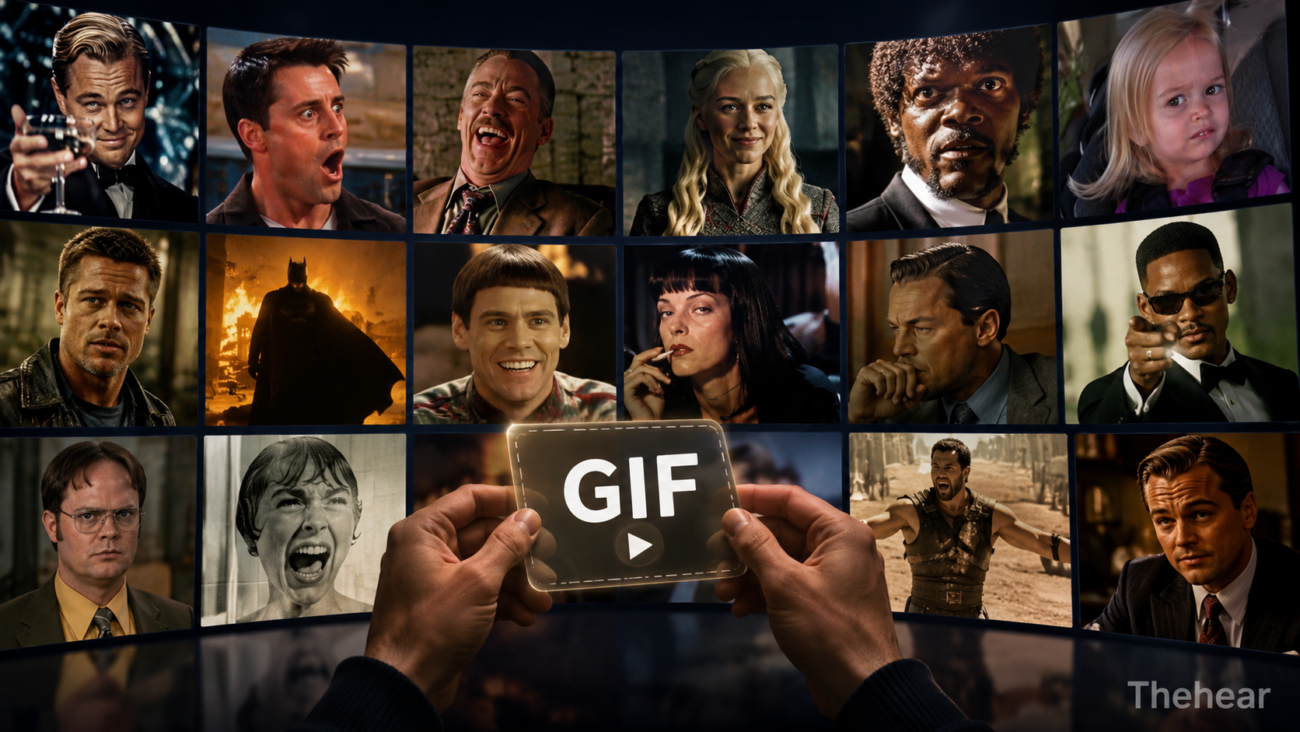
Movies and TV shows give us thousands of memorable scenes, but only a small number become GIFs people use again and again. A perfect GIF captures an emotion, reaction, joke, or idea in just a few seconds and makes sense even outside the original scene. Choosing the right moment matters as much as the technical process of creating the file. Whether you are sharing a reaction in a group chat, discussing entertainment online, or adding humour to a social post, understanding what makes a scene GIF-worthy can help you turn a good clip into a genuinely useful piece of visual language.
What Is a GIF, and Why Do Film and TV Moments Work So Well?
A GIF, short for Graphics Interchange Format, is an image format that can display a sequence of frames as a short animation. In everyday online use, the term also describes short looping animations taken from films, television programmes, interviews, sports coverage, and other video sources. GIFs usually have no sound, so facial expressions, gestures, movement, and short captions do most of the communication.
Film and television are especially suited to this format because actors communicate visually. A raised eyebrow, awkward stare, sudden smile, slow turn, or exaggerated celebration may tell viewers everything they need to know without dialogue. Good filmmaking also helps. Close-ups, reaction shots, deliberate pauses, and clear framing can produce moments that remain understandable after being separated from the surrounding scene.
This is why a short reaction from a familiar character can sometimes communicate more efficiently than several sentences. The viewer does not necessarily need to know the episode, plot, or character. The expression itself carries the message.
Key takeaway: A strong GIF works without sound or detailed context because its visual action communicates a recognisable emotion or idea.
What Makes a Scene Instantly Understandable as a GIF?
The strongest GIF moments have a clear emotional centre. Confusion should look like confusion. Excitement should be obvious. If someone is expressing disbelief, viewers should recognise that reaction almost immediately. A clip that requires thirty seconds of backstory will usually lose its meaning when reduced to a short loop.
Reaction shots often work particularly well. Imagine a character confidently entering a room and immediately realising they have made a mistake. The whole scene might last a minute, but the brief change from confidence to panic could work perfectly as a GIF. It has a beginning, a change, and a payoff.
When selecting a scene, try viewing a few seconds with the sound muted. Ask yourself whether a person who has never watched the programme could roughly understand what the character is feeling. If the answer is yes, the scene already has one of the most important qualities of an effective GIF.
Key takeaway: The best GIF moments communicate their main emotion within seconds, even when viewers have no knowledge of the original scene.
Why Are Facial Expressions So Important?
Human beings naturally pay attention to faces. Film and TV directors use close-ups for exactly this reason. A small change in expression can communicate embarrassment, suspicion, frustration, amusement, or surprise without requiring any explanation.
For GIF creators, this makes close-up reaction shots valuable material. Think of a character slowly looking towards the camera after hearing something ridiculous. The movement may be minimal, but the expression creates the joke. Similar moments include an eye roll, a nervous smile, an exaggerated gasp, or a look of complete exhaustion.
Subtle reactions can work too, provided the image is clear enough. A tiny smirk might be effective in a well-lit close-up but almost invisible in a wide shot. When converting video, remember that GIFs are frequently displayed at small sizes on phones, messaging platforms, and web pages. Expressions need to remain readable after the image has been reduced.
Key takeaway: Clear facial reactions make excellent GIFs because viewers can recognise emotions quickly, even on a small screen.
How Does Timing Turn an Ordinary Clip Into a Great GIF?
Timing is one of the biggest differences between a random video excerpt and a memorable GIF. Start too early and the viewer waits for something to happen. End too late and unnecessary frames weaken the punchline. Cut too aggressively and the reaction can feel confusing.
A useful method is to identify the exact action or expression that matters, then keep only enough footage before and after it to make that moment feel natural. For example, if the key action is a character turning around in shock, you may need a fraction of a second before the turn and a brief hold on the final expression. You probably do not need the conversation that caused it.
When using a video to GIF converter, trim the source clip before worrying about resolution, frame rate, or other settings. Starting with the correct moment makes every later decision easier. A short, focused sequence also tends to loop more naturally than a clip filled with unrelated action.
Key takeaway: Trim around the reaction or action itself. Give viewers enough setup to understand it, but remove frames that do not add meaning.
Why Does a Natural Loop Matter?
A GIF repeats, which means its ending immediately meets its beginning. That unusual structure can make a well-selected moment funnier or more expressive. It can also make a poor edit feel awkward.
Some film and TV moments naturally return to a similar visual position. Repetitive gestures, dancing, clapping, nodding, typing, looking between two objects, or repeatedly attempting the same action can create smooth loops. Other clips rely on a deliberate jump between the final and first frames. The transition does not always have to be invisible, but it should not distract from the reaction.
Before exporting, watch the animation repeat several times. If you notice the edit more than the performance, reconsider the start or end point. Moving either boundary by only a few frames can improve the result considerably.
Key takeaway: A GIF should still feel satisfying after several repetitions. Choose start and end points that make the loop support the moment rather than interrupt it.
Which Emotions Make the Most Useful Reaction GIFs?
Versatility gives a GIF staying power. A scene from one story can become part of thousands of unrelated conversations when its emotion applies to everyday situations.
Useful reactions commonly include:
- Surprise or disbelief
- Excitement and celebration
- Awkwardness or embarrassment
- Confusion
- Frustration
- Approval or agreement
- Suspicion
- Boredom or impatience
- Relief
- A knowing smile or sarcastic response
The best choice depends on how clearly the emotion appears on screen. A dramatic celebration can stand in for getting good news, completing a difficult task, or simply reaching Friday. An exhausted stare can express everything from a long commute to an unnecessarily complicated meeting.
This flexibility explains why certain screen moments remain useful long after a film leaves cinemas or a television series finishes. The source may age, but familiar human reactions do not.
Key takeaway: GIFs become more reusable when their emotions apply to many everyday conversations rather than one narrow plot situation.
Does the Scene Need Dialogue or Captions?
Not necessarily. In many cases, a GIF is stronger without text because the visual reaction already communicates the idea. Adding captions to an obvious expression can clutter the frame and reduce its flexibility.
Dialogue becomes useful when a short phrase is central to the moment. A concise line such as “Really?”, “No”, or “I knew it” can combine with an actor’s delivery and expression to create a distinctive reaction. Since GIFs do not normally carry audio, captions can preserve an important part of that performance.
Keep captions short and readable. Use strong contrast between the letters and background, and avoid covering faces or other important visual details. Accessibility also matters. The Web Content Accessibility Guidelines from W3C provide useful guidance on issues such as contrast and moving content when animations appear on websites.
Key takeaway: Add text only when dialogue improves the meaning. If the visual performance already tells the story, leaving the GIF uncluttered often works better.
How Can You Tell Whether a Scene Will Work at a Small Size?
A beautiful cinema shot does not automatically make a good GIF. Films are designed for screens far larger than the space available to an animation in a social feed or messaging window. Fine details may disappear when a clip becomes smaller.
Look for strong visual focus. One or two people in a medium shot or close-up generally remain easier to understand than a crowded wide shot. Good contrast between the subject and
background also helps. Fast camera movements, dark scenes, flashing edits, and complicated action can become difficult to follow.
A simple test is to shrink your preview. If you can still identify the subject and understand the action without concentrating, the scene is a promising candidate. If you have to explain where the viewer should look, choose another shot or crop the frame carefully.
Key takeaway: GIF-friendly scenes have a clear subject, readable action, and enough visual contrast to remain understandable on small screens.
How Do You Choose and Convert the Right Moment?
Start with meaning rather than software settings. Watch the source and identify the shortest complete visual idea. Then trim it tightly and test how it looks without sound.
A practical workflow looks like this:
- Find the reaction or action. Identify the exact expression, gesture, or visual joke you want to preserve.
- Mute the source. Check whether the moment remains understandable without audio.
- Set tight boundaries. Remove unnecessary dialogue and movement before and after the key action.
- Check the framing. Crop distracting areas if doing so keeps attention on the subject.
- Test the loop. Replay the clip several times and adjust the cut if the transition feels distracting.
- Convert and optimize. Use a video to GIF converter to create the animation, balancing dimensions, frame rate, image quality, and file size.
- Preview at realistic size. Check how the finished GIF looks at the size people are likely to see online.
For further reading about screen culture, entertainment, and digital media, readers can explore relevant film and entertainment features on The Hear. When publishing animations online, it is also sensible to understand copyright. The UK Government provides an overview of copyright rules and exceptions, although the legal position depends on how copyrighted material is used.
Key takeaway: Choose the visual idea first and optimize the file second. A technically perfect GIF cannot rescue a scene that lacks a clear reaction or purpose.
What Common Mistakes Make a GIF Less Effective?
The most common mistake is keeping too much footage. People often want to preserve an entire joke because every part feels important in the original scene. A GIF works differently. It benefits from compression, not only in file size but also in storytelling.
Another problem is selecting a moment that depends heavily on sound. A brilliant spoken joke may become meaningless when viewers cannot hear its setup or delivery. Poor crops, unreadable subtitles, excessive text, low contrast, and unnecessary camera movement can create similar problems.
It is also worth resisting the temptation to add effects simply because editing software provides them. Filters, decorative text, stickers, and transitions can compete with a strong performance. When the actor’s reaction already communicates the message, simple editing usually gives it more room to work.
Key takeaway: Avoid long clips, sound-dependent jokes, distracting effects, and unclear framing. Simplicity usually makes reaction GIFs more effective.
Why Do Some GIFs Stay Popular for Years?
Memorable GIFs often combine a distinctive performance with a universal feeling. Viewers may originally recognise the actor or programme, but continued use gives the clip a second identity. It becomes shorthand for an emotion rather than merely a reference to a particular scene.
Context also keeps changing. The same shocked expression can react to entertainment news one day, a football result the next, and a friend’s unexpected message later. This ability to cross topics makes a GIF useful rather than simply recognisable.
Cultural familiarity helps, but fame alone does not guarantee a successful GIF. A lesser-known scene with a perfectly readable reaction may be more useful than an iconic scene that depends on several minutes of plot. Practical communication ultimately matters more than the prestige of the source.
Key takeaway: Long-lasting GIFs combine distinctive performances with universal emotions that people can reuse in completely different conversations.
FAQs About Choosing Movie and TV Moments for GIFs
How long should a movie or TV GIF be?
There is no single ideal duration. Keep it only as long as needed to communicate the complete reaction or action. Short, tightly edited clips generally feel easier to understand and repeat.
Takeaway: Use the shortest duration that preserves the full meaning of the moment.
Do GIFs need captions?
No. Captions help when dialogue is essential, but clear facial expressions and gestures often work better without text.
Takeaway: Use captions when words add necessary context, not simply because the original scene contains dialogue.
What type of scene makes the best reaction GIF?
Close-ups and medium shots featuring clear expressions or gestures are strong choices. Surprise, celebration, confusion, frustration, and awkwardness are especially reusable emotions.
Takeaway: Choose scenes with one obvious reaction that people can apply to many situations.
Can any video clip be converted into a GIF?
Technically, many common video clips can be turned into animated images with suitable tools, but not every clip will make a useful GIF. The source needs clear action, appropriate framing, and a moment that survives without sound.
Takeaway: Being convertible does not make a clip GIF-worthy. Visual clarity and context matter more.
Should a GIF loop perfectly?
A seamless loop is helpful but not essential. Reaction GIFs can include a visible restart as long as it does not distract from the meaning.
Takeaway: Aim for a comfortable repeat rather than forcing a technically perfect loop.
What Is the Formula for a Perfect Movie or TV GIF?
A great GIF is a tiny piece of visual storytelling. It takes a recognisable emotion or action from a longer film or television scene and makes that moment understandable on its own. Clear expressions, tight timing, focused framing, sensible captions, and a comfortable loop all contribute to the result.
The simplest test is also the most useful: watch the clip without sound, at a small size, several times in a row. If the emotion remains obvious and the repetition still feels natural, you probably have a strong GIF. Technology can handle conversion and optimisation, but choosing the right few seconds is what turns an ordinary clip into a reaction people actually want to share.
Key takeaway: The perfect GIF combines instant meaning, a strong visual reaction, precise timing, and repeatability. Select the right moment first, then use editing and conversion to preserve its impact.
